Live quiz games for your event, played by every guest on their own phone.
Guests scan a QR code and answer on their phones. Questions, the timer and the leaderboard show on the big screen. Your host runs it all from one laptop.
No app for guests · Works in any phone browser · One laptop runs it
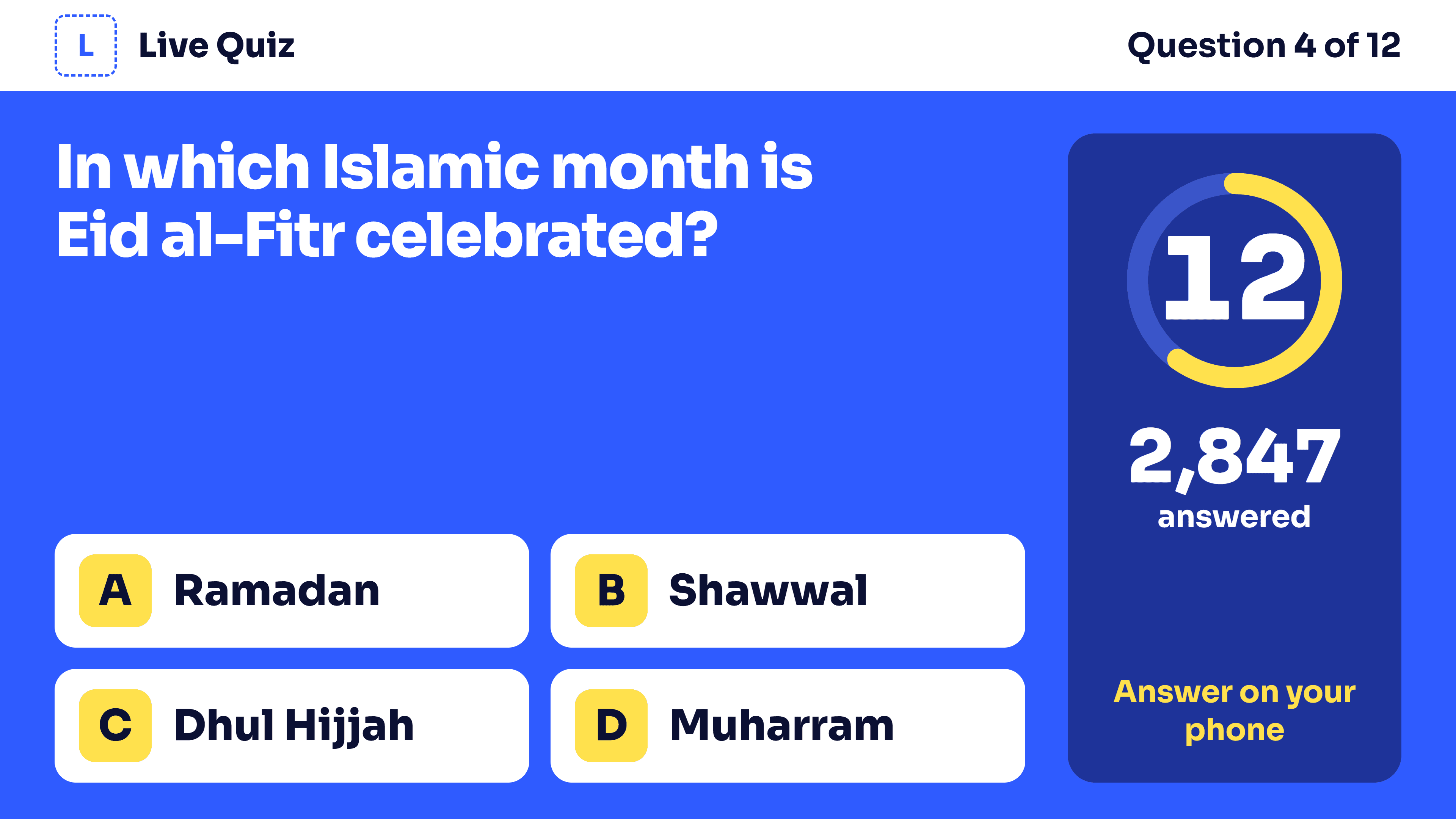
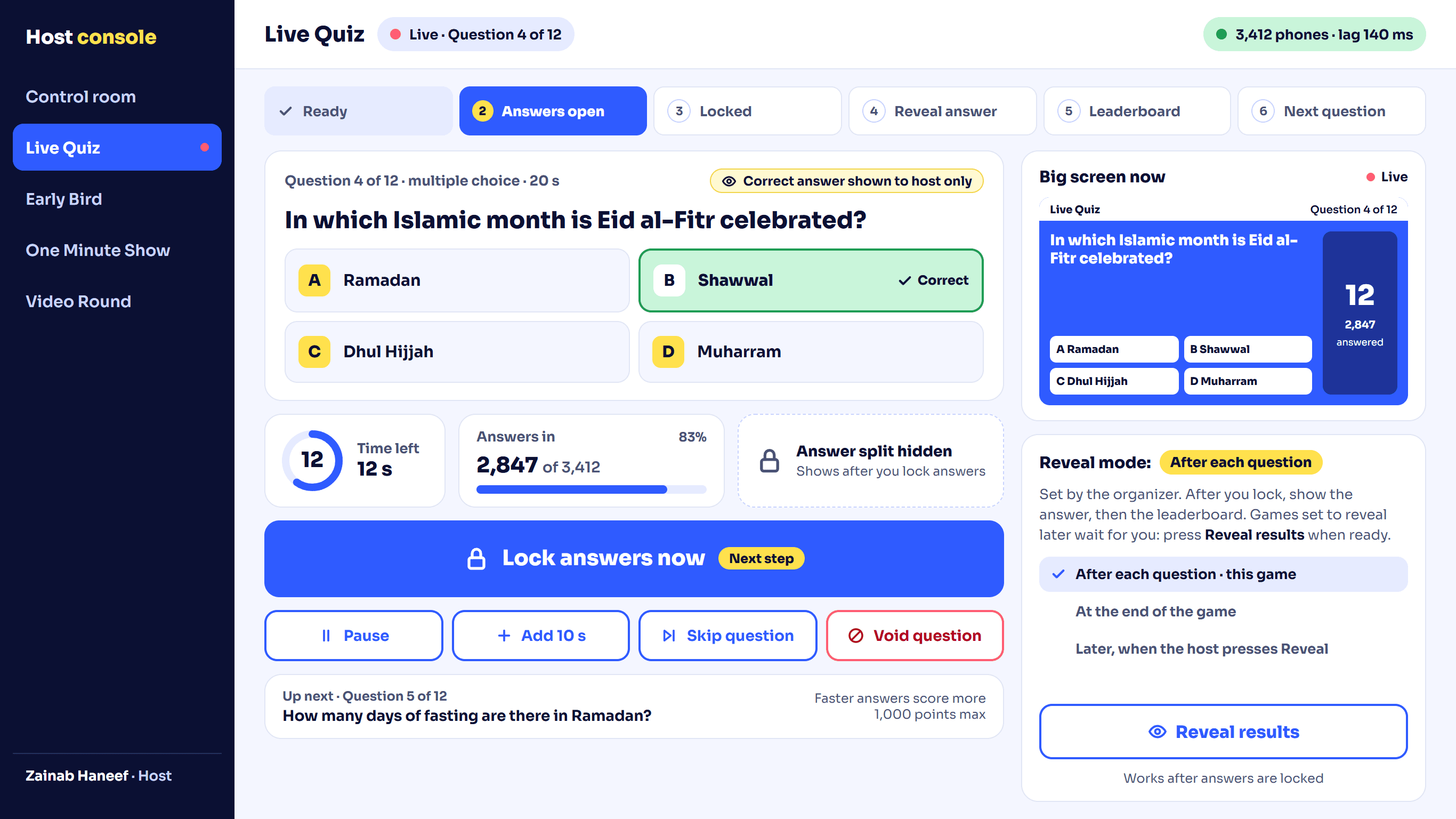
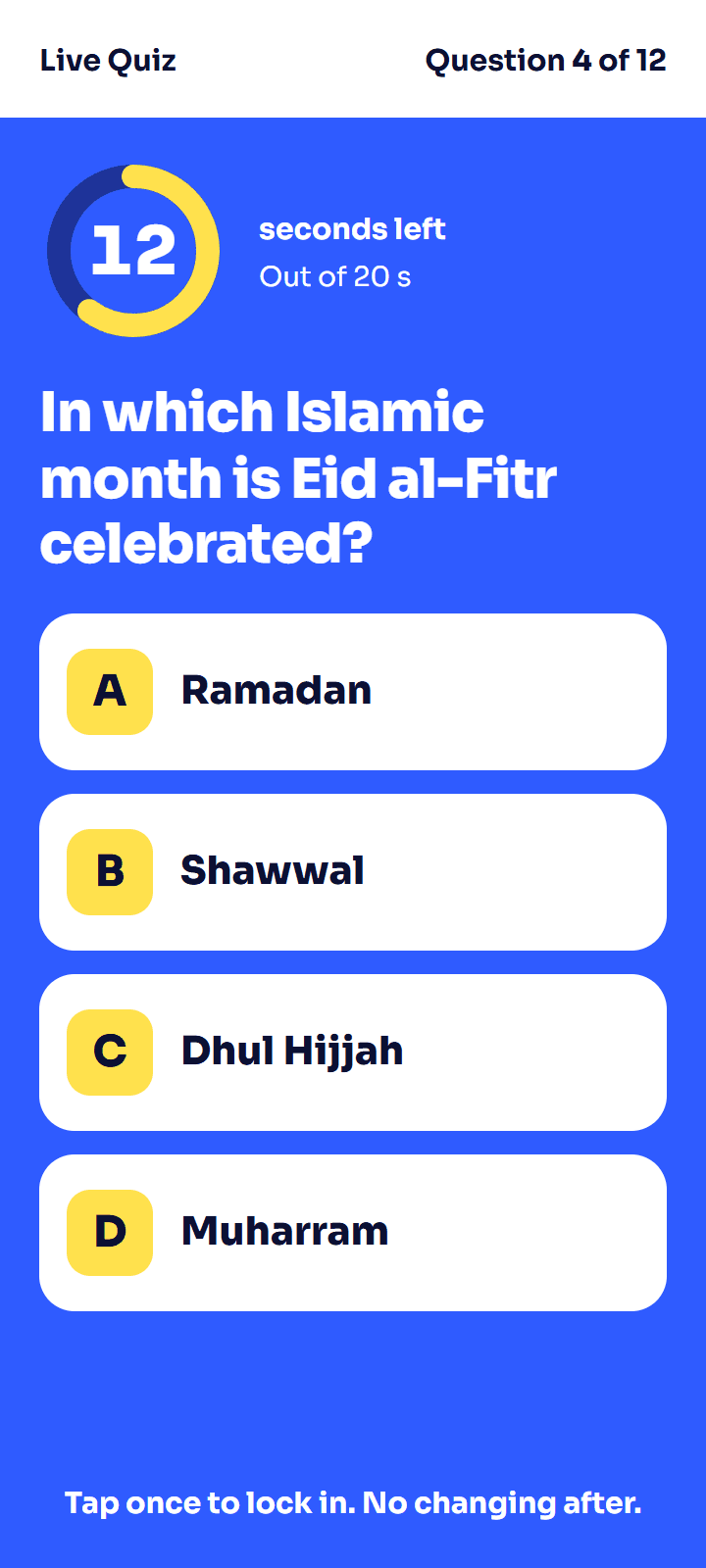
- 4games in one event
- 19question types
- 0apps for guests to install
- 1QR code to join
- Multiple choice
- Many correct
- True or false
- Poll
- Fill in the blanks
- Type the answer
- Number
- Slider estimate
- Word scramble
- Put in order
- Rearrange a picture
- Sliding puzzle
- Match pairs
- Sort into groups
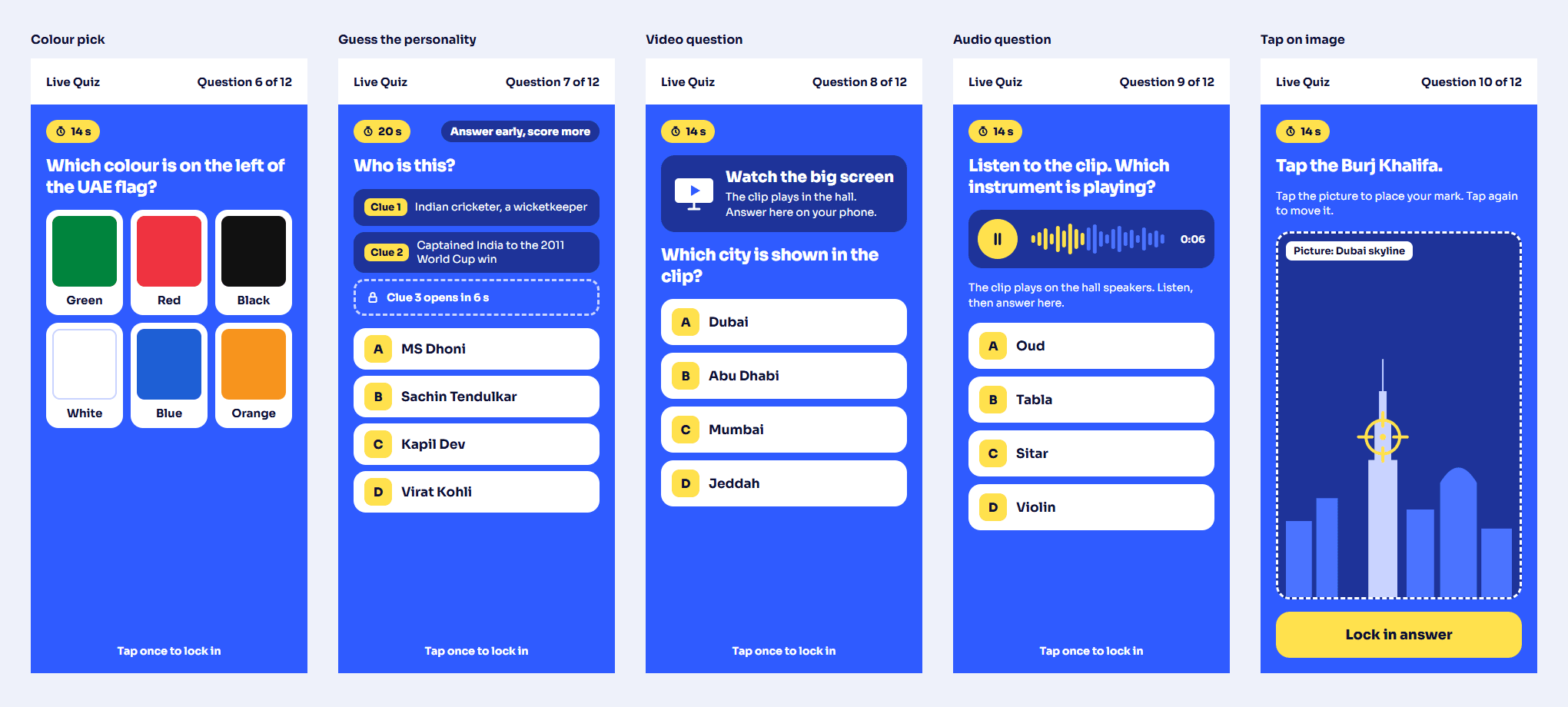
- Colours
- Guess the personality
- Video question
- Audio question
- Tap on a picture
Three screens, one game
Every game runs on three screens at once, kept in step by our server.
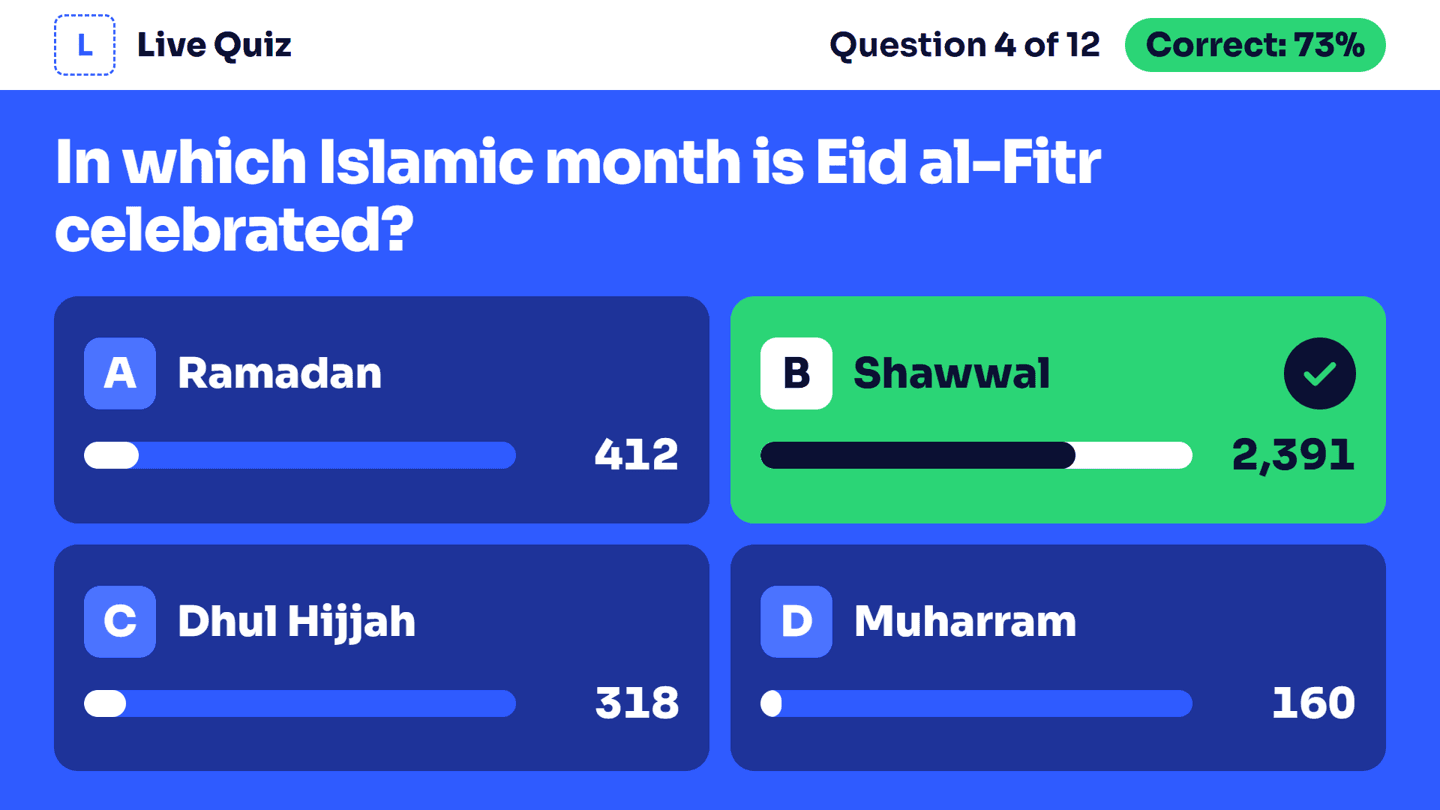
The big screen
- The question, options and timer, readable from the back of the hall.
- The right answer and how many picked each option.
- The top 10 after each question, and a podium at the end.
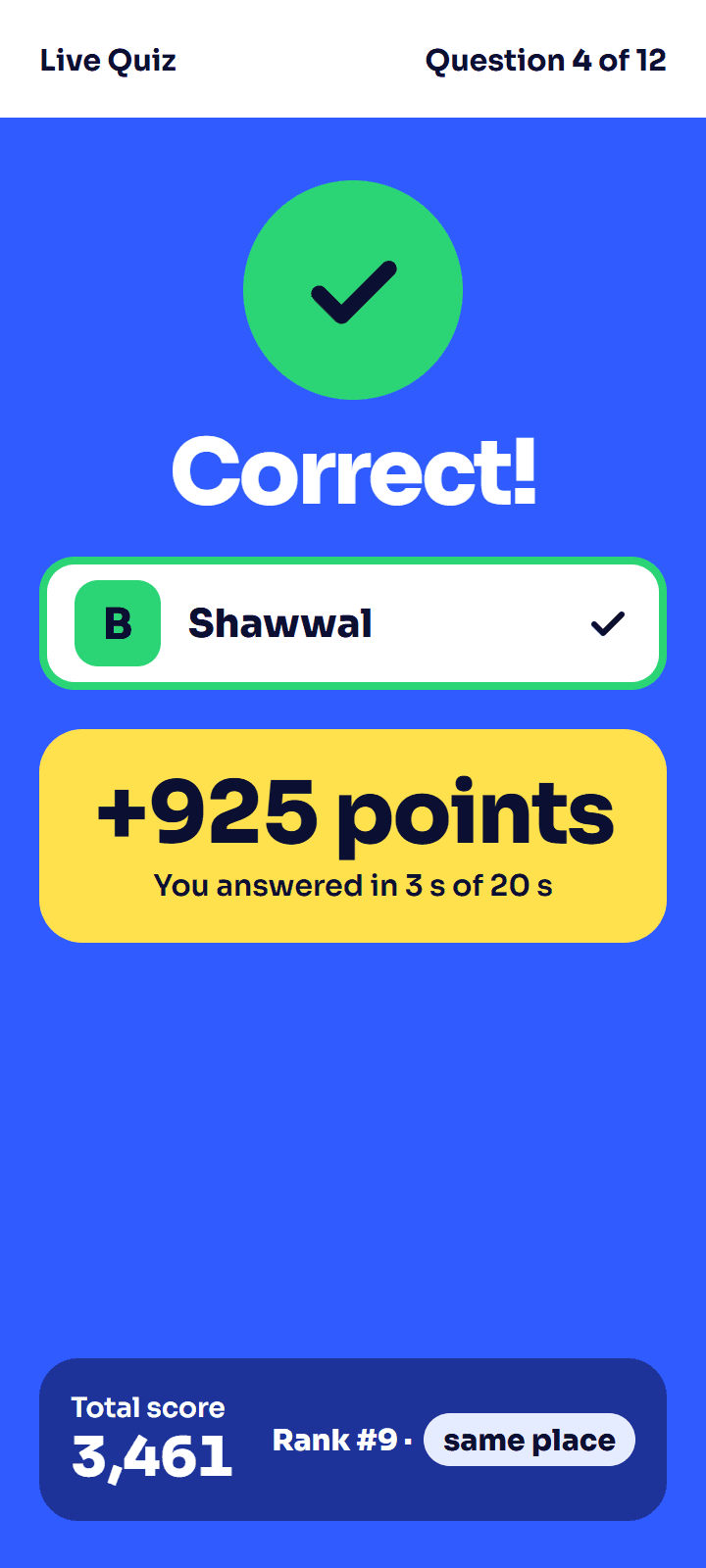
Each guest's phone
- Big answer buttons. One tap locks the answer in.
- Right or wrong, the points, and their own rank.
- Sign in once with Google, or with fields you choose.
The host's laptop
- One button at a time: open, lock, reveal, leaderboard.
- Pause, add time, skip, or regrade a question.
- A second laptop can stand by as backup host.
How it works for organizers
- Step 1
Get access and set up
Message us on WhatsApp. We set up your organization and send invite links for your team. Add your logo, sponsors and sign-up form.
- Step 2
Build and rehearse
Write questions in any of the 19 types, or import a spreadsheet. Run every game in test mode before guests arrive.
- Step 3
Run it, then download results
Guests scan the QR code, your host runs the games, the help desk fixes problems. Afterwards, download results and print the winners.
Four games
Turn each one on or off. Guests register once and join any of them.
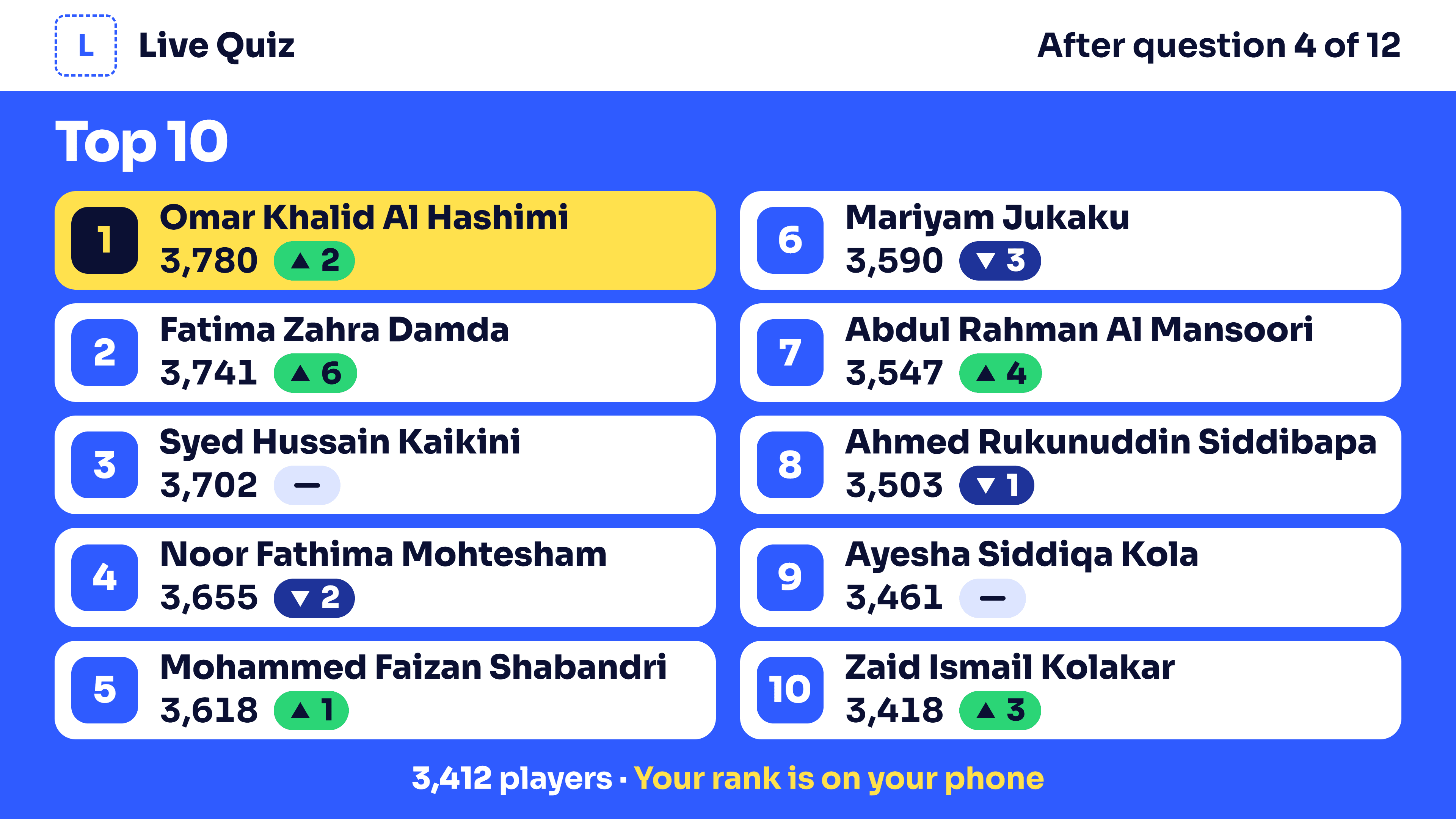
Live Quiz
The whole hall answers the same question at the same moment. Fast right answers score more.
How Live Quiz works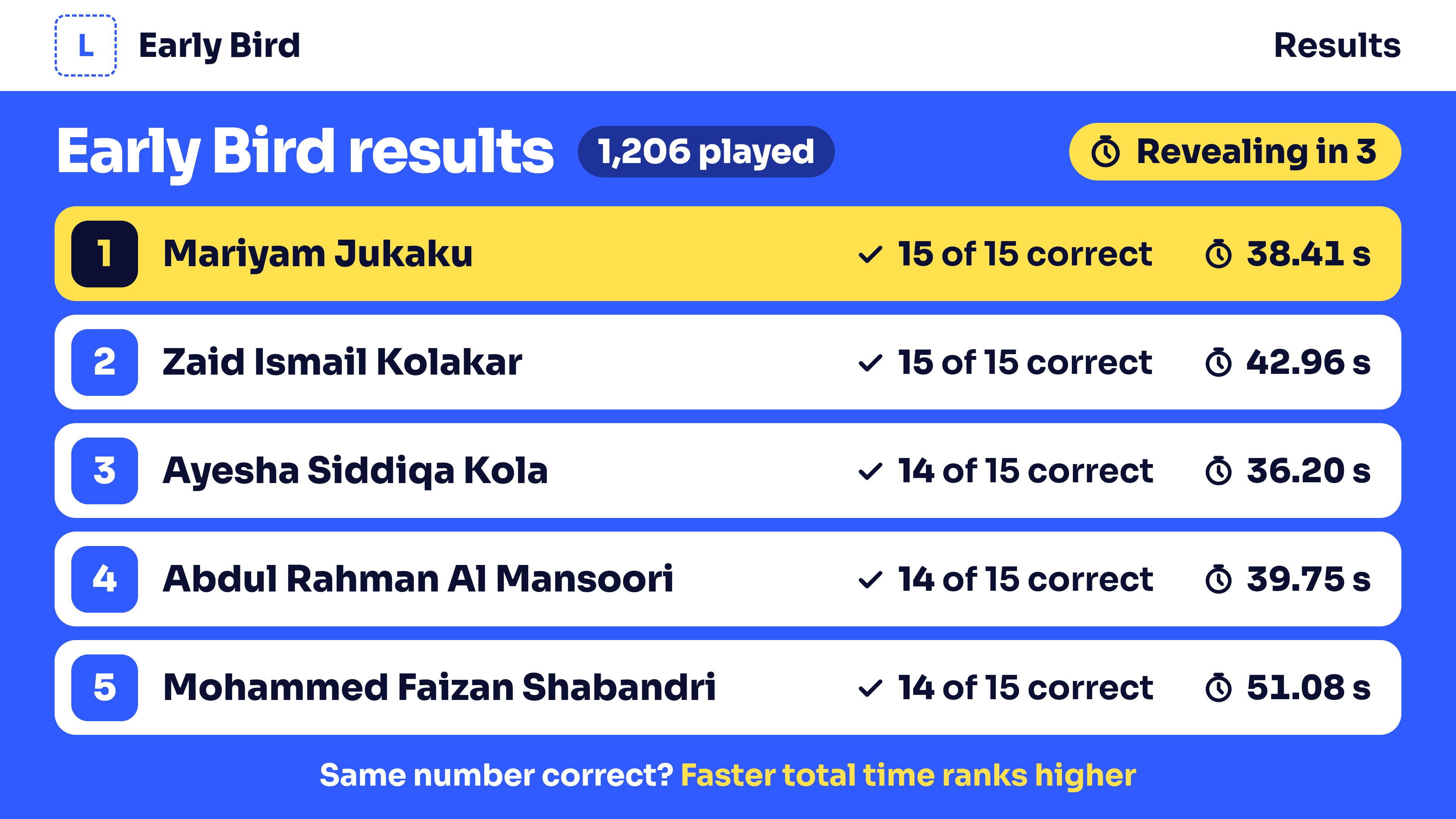
Early Bird
Guests play at their own pace inside a time window you set. You reveal the ranking when you choose.
How Early Bird works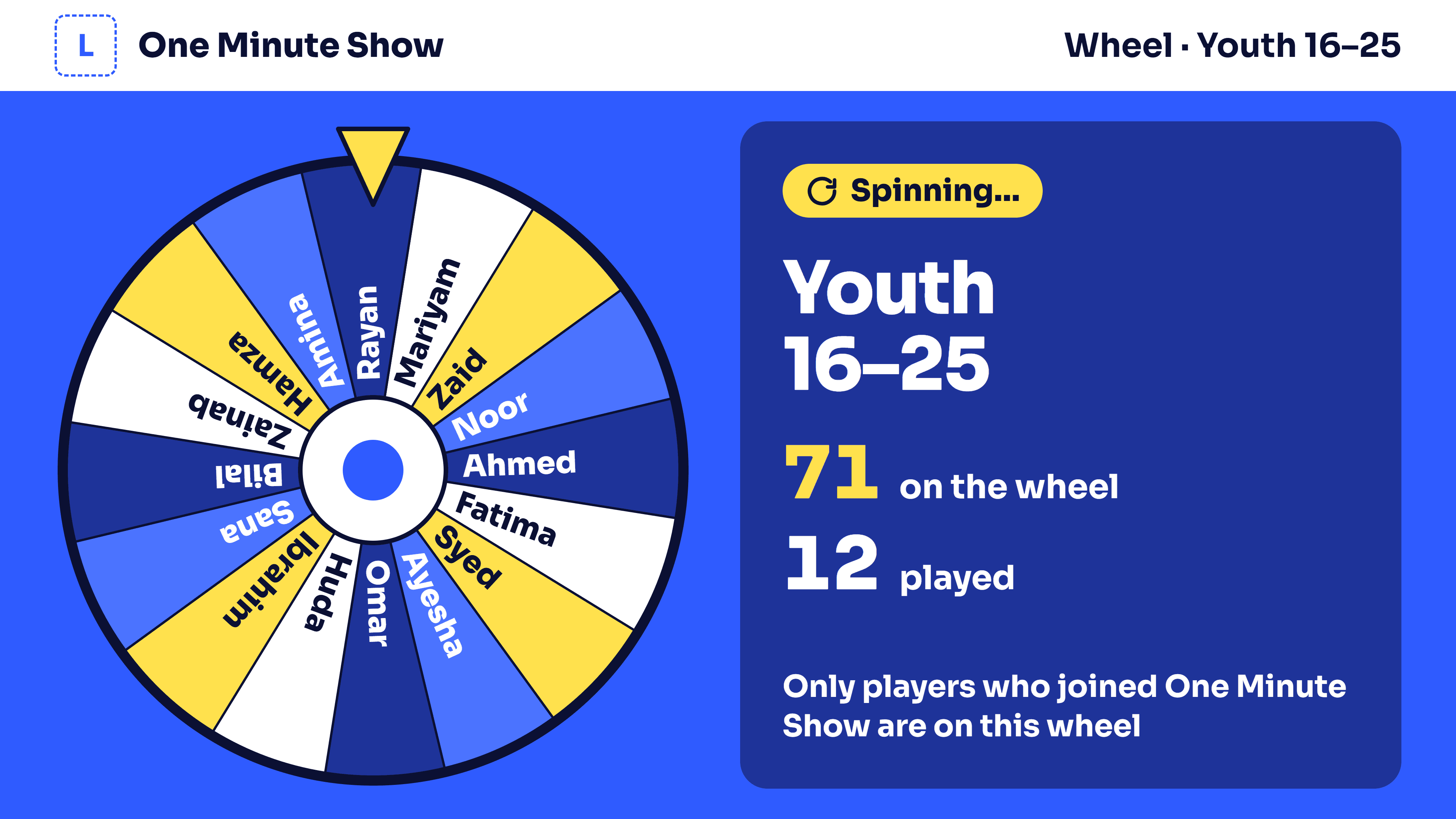
One Minute Show
A wheel of names for each age group. The picked guest gets 60 seconds on stage.
How One Minute Show works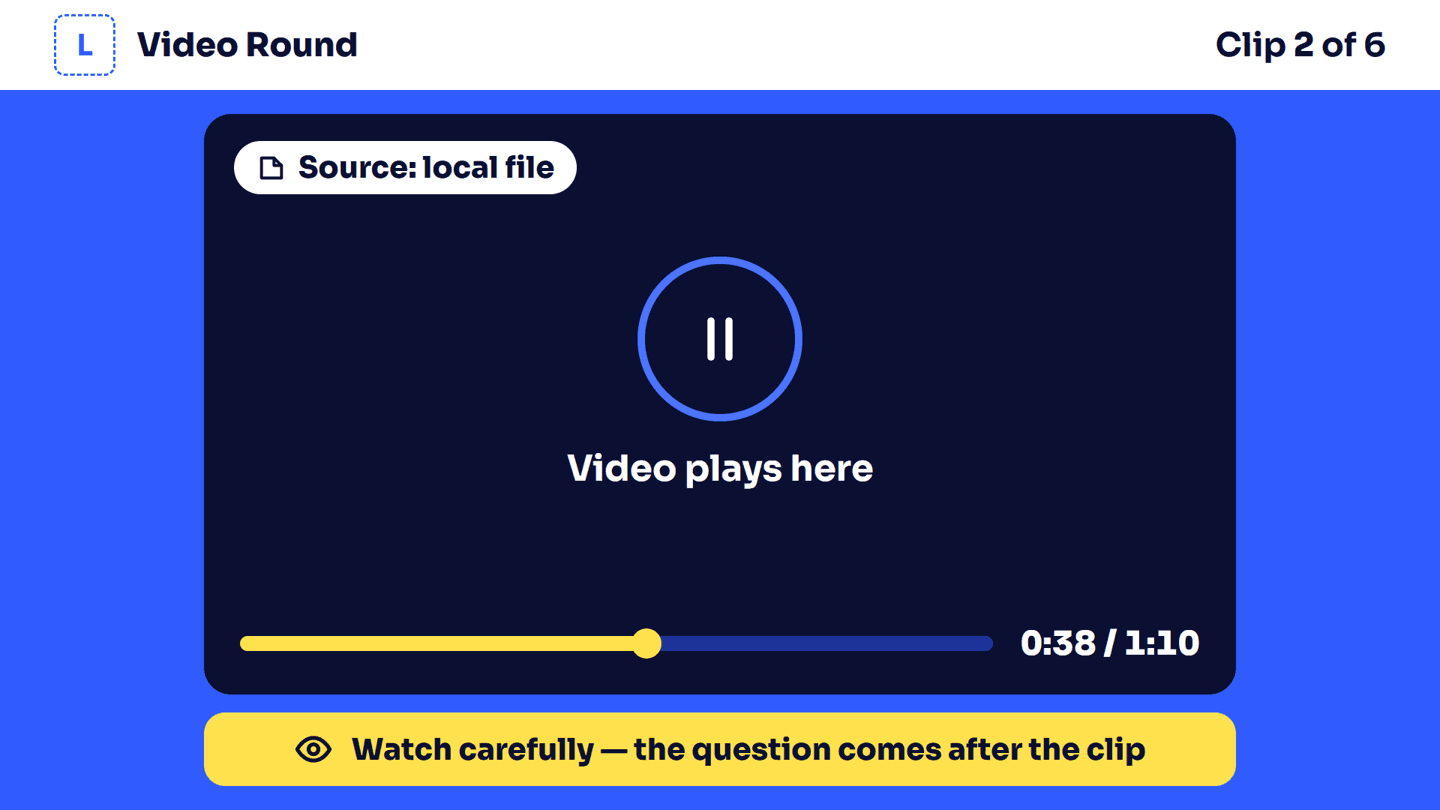
Video Round
A clip plays on the big screen, then guests answer questions about it on their phones.
How Video Round works19 question types
Multiple choice, true or false, type the answer, numbers, sliders, put in order, match pairs, word scramble, picture puzzles, tap on a picture, colours, guess the personality, polls, audio and video.
See all 19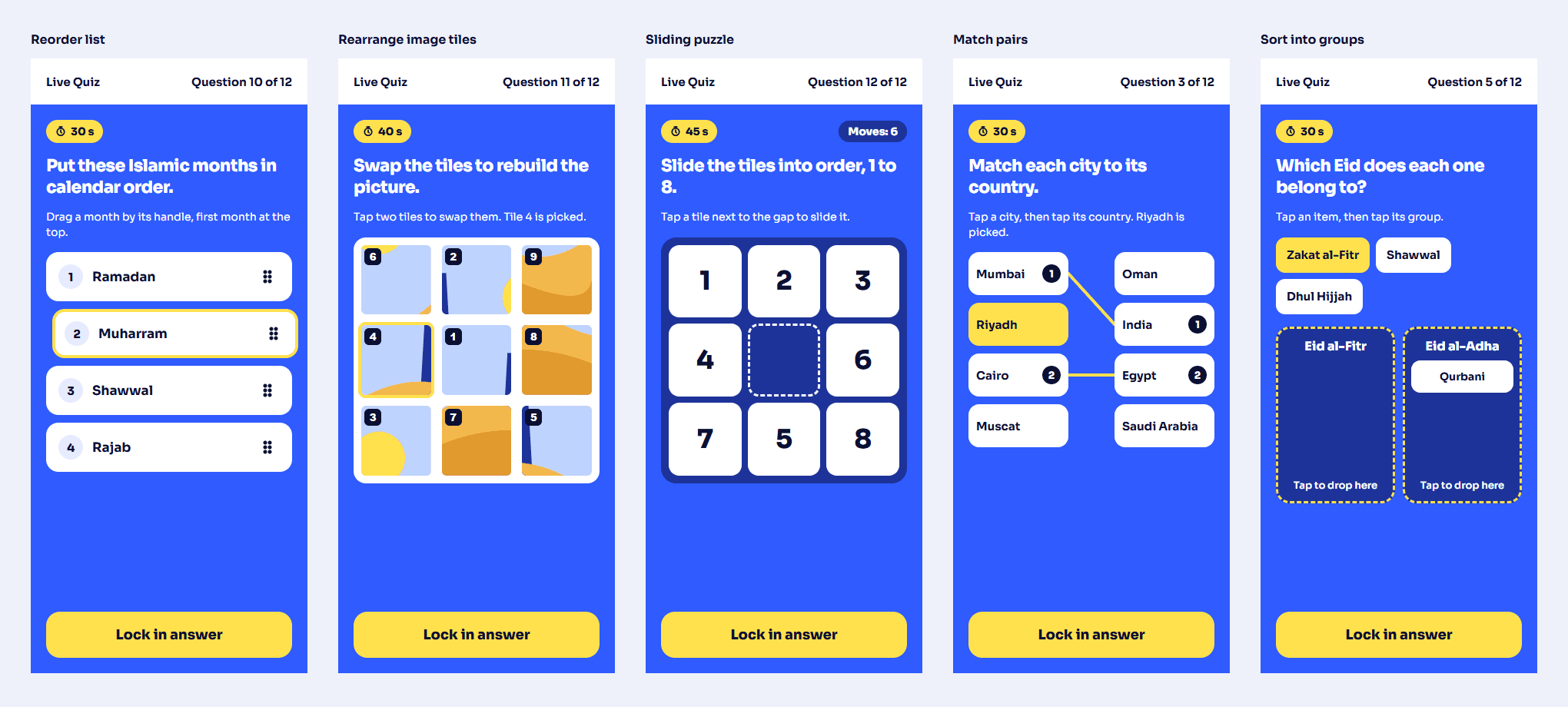
Built for a full hall
Things go wrong at live events. These are ready for it.
- Help desk
- Find any guest by name, ticket, mobile or player code. Fix their details, merge a double sign-up, or add them by hand.
- Lost connection
- A phone that drops shows "Reconnecting…" and goes back to the current question. Answers already sent are kept.
- Backup host
- If the host's laptop stops working, a second laptop signed in as host takes over the game.
- Live operations
- One page shows connected phones, answers per second, the delay and any warnings while the game runs.
- Rehearsal
- Test mode runs every game before the event. Real guests can't join it, and test results are cleared.
- Opened in WhatsApp
- If a guest opens the link inside WhatsApp or Instagram, the page shows how to open it in Chrome or Safari.
Fair play and privacy
- Answers checked on our server
- Phones never receive the right answer before it is revealed, so it can't be read from the page.
- One answer per question
- One tap locks it in. Late answers after the lock are refused.
- Every change is logged
- Score changes, regrades and help desk fixes are recorded with who made them.
- Your data, your rules
- Only your team sees guest details. They are deleted after the period you choose: 30 days to 1 year.
- Team roles
- Owner, host and help desk each sign in with their own account and see only what their role needs.
- Consent at sign-up
- Guests tick to agree to your consent text before they register.
Questions and answers
Do guests need to install an app?
No. It opens in the phone's browser after they scan the QR code.
Do guests need a Google account?
Your choice, per event. Without Google, guests sign in with fields you pick, like mobile and ticket number.
What do we need at the venue?
A big screen or projector connected to a laptop, a laptop for the host, and internet for the laptops and guests' phones.
Can we use our own logo and sponsors?
Yes. Your logo, a background picture and sponsor logos show on the big screen.
Can we try it before the event?
Yes. Test mode runs every game with your real questions. Real guests can't join while it is on.
How much does it cost?
Message us on WhatsApp with your date, venue and number of guests, and we will tell you.
How to get access
EzyEvents is invite only.
- 1
Message us on WhatsApp with your event date, venue and number of guests.
- 2
We set up your organization and send you an invite link.
- 3
Sign in with Google or an email and password, and invite your team.